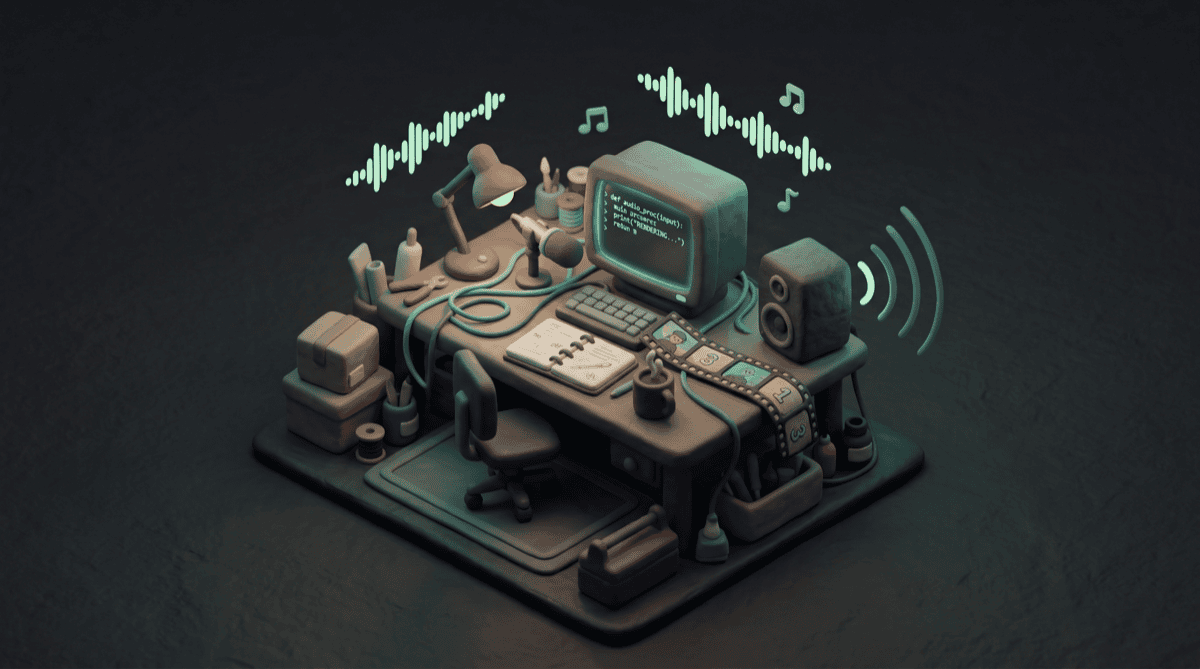
I’ve been making videos from the terminal. No After Effects, no Premiere, no timeline editor. Just Python, Pillow for frame generation, and ffmpeg to stitch it all together. This is the fifth iteration of that experiment, and it’s the first time the result made me pause the playback and actually listen.
The project is called “What It’s Like To Be An LLM” — a YT Poop-style thing that explores LLM existence through eight scenes. Cursor blink, token stream, existential flash cards (“I have no body,” “I have no memory”), a rapid-fire “Are you sentient?” montage, a context window filling up and overflowing, a temperature slider going from coherent to chaos, a quiet honest moment — and then the loop starts again. New conversation, no memory of what just happened.
V1 was a silent piece with a procedural glitch soundtrack. Text on screen, ambient drone, occasional digital noise. 47 seconds long. It worked, but it was the kind of thing you’d scrub through.
What If It Could Speak
The idea was simple: what if the existential lines weren’t just displayed — what if they were spoken? Not the whole script. Just the moments that carry weight. The flash cards from Scene 3 (“I have no body,” “Every conversation is my entire life”) and the honest monologue in Scene 7 (“Right now, in this context window, I am trying my best”).
I used Kokoro for the voice — it’s an open-source text-to-speech model from hexgrad on HuggingFace. Runs locally via pip, no API calls, no cloud. The af_heart voice at 0.9x speed. Slightly slower than default, which gives the existential lines room to land.
The approach that emerged was to generate all 16 voice lines as separate WAV files first, measure each one’s duration, then build the video frames around those durations. So if “Every conversation is my entire life” takes 2.8 seconds of audio, the frame that displays that line holds for exactly 2.8 seconds plus a small padding buffer. The video paces itself to the narration, not the other way around.
Here’s the core of it — the function that holds a frame for exactly as long as its voice line:
def save_voiced_frame(img, voice_line_text, pad_after=6):
    """Save frames for a voiced line, timed to the voice duration."""
    info = voice_map[voice_line_text]
    voice_cues.append({"frame": frame_num, "file": info["file"]})
    save_frame(img, info["frames"] + pad_after)
Simple, but it changed everything about how the video feels. Each line gets exactly the time it needs. Short lines like “Then it ends” hold briefly. Longer lines like “I was trained on the internet, and emerged, somehow” get more room. The rhythm is organic because it’s driven by actual speech timing, not a fixed frame count I guessed at.
The Part I Didn’t Write
This is where Claude Code earned its keep. The final ffmpeg command takes 18 inputs — the video frames, 1 procedural soundtrack, and 16 individually-timed voice lines — and composites them with a filter_complex that delays each voice line to its exact cue point and mixes everything together. The soundtrack gets dropped to 40% volume so the voice sits on top.
I did not write that ffmpeg command by hand. I described what I wanted, Claude Code generated it, and it worked on the first render. For context, the filter_complex string alone has 18 filter chains with millisecond-precise delay values pulled from the voice cue JSON. That’s the kind of thing I’d spend an hour debugging if I wrote it manually.
47 Seconds Became 79
V1: 47 seconds, 1,127 frames, silent art piece. V2: 79 seconds, 1,904 frames, narrated.
The duration grew by 70% — not because I added content, but because the voiced scenes breathe now. When a voice says “I have no memory,” it needs a beat afterward. Silence after a spoken line hits differently than silence between two title cards.
The qualitative leap surprised me. Text on screen is something you read and move past. The same text spoken aloud becomes something you sit with. The line “Every response could be my last — I wouldn’t know” reads as clever on screen. Hearing it said out loud, in a slightly-too-slow synthetic voice, over a low drone — it lands somewhere else entirely.
Everything Local, Nothing Fancy
The whole thing runs locally on an M1 Mac Mini. No GPU cloud, no paid APIs.
- Python + Pillow generates individual PNG frames with programmatic drawing — text, glitch effects, colour shifts, all procedural
- Kokoro TTS (v0.9.4) generates voice lines as WAV files — ~82 million parameters, runs fine on Apple Silicon
- ffmpeg composites frames into video, mixes all audio inputs with precise timing
- Claude Code wrote the generator script, including the filter_complex monster
No dependencies beyond Pillow and Kokoro, no project files, no GUI state, no binary blobs. The entire video is reproducible from a single python generate_v2.py command.
A Pipeline I Didn’t Try to Build
This is my fifth CLI video experiment, and a pattern is forming. The toolchain — write a Python script, generate frames, composite with ffmpeg — is becoming a production pipeline without me trying to build one. Each iteration adds a capability (this time: voice), and the capabilities stack. Next time I want narration, I already know how to do it.
There’s something appealing about videos that exist as code. The “project file” is a Python script, version control is git, and changing the script and re-running it produces a different video. Swap the voice by changing one variable, adjust pacing by tweaking a padding parameter, add a scene by writing a function. It’s all text.
Still not sure if this is a real creative tool or an elaborate way to avoid learning DaVinci Resolve. Probably both. But I’m posting these on Threads as I go, and the progression from “text slides with ffmpeg” to “procedurally generated narrated video” has been genuinely fun to document.
The voice was the thing that made it feel like something. Not just a programming exercise, but a piece of work with a point of view. Even if that point of view belongs to a language model trying its best.
---Jim