
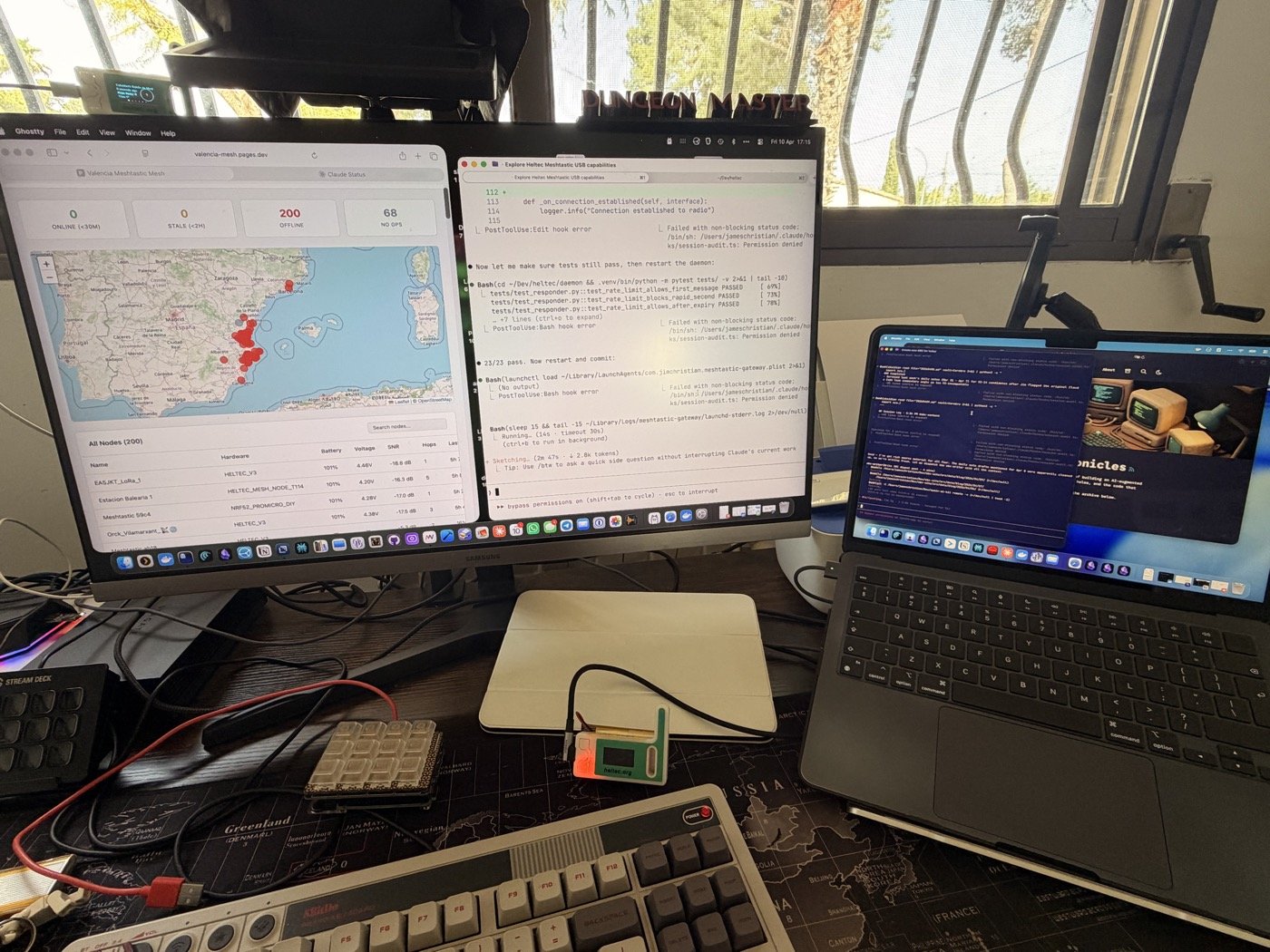
There’s a Heltec V3 sitting on my desk. It’s been there for weeks — one of those little LoRa radios that talks to other radios without needing WiFi or cell towers. The Valencia mesh network has about 200 nodes on it — hikers, preppers, tinkerers — and messages bounce between them at walking speed, 228 bytes at a time.
I plugged it into my Mac via USB and thought: what if this thing could answer questions? Not in a “build a product” way — more in a “what would it take?” way. The answer turned out to be a Python daemon, a Cloudflare Worker, and an afternoon.
The Constraint That Made It Interesting
LoRa messages max out at 228 bytes — about 40 words — so when someone types !ai how do I treat a snake bite on their radio, the answer has to fit in a text message shorter than a tweet.
I pointed it at Gemma4 running locally on Ollama. The system prompt is tuned for exactly the kind of thing you’d need off-grid in Valencia — emergency first aid, what to do if you’re lost hiking, how to say “I need help” in Spanish, which beach flags mean what, how to handle a processionary caterpillar encounter. Practical stuff. No philosophy.
The 228-byte limit turns out to be a feature, not a bug. It forces the model to be useful fast. No preamble, no hedging, no “here are five things to consider.” Just: apply pressure above the bite, keep the limb below heart level, get to urgencias.
The Dashboard Nobody Asked For
Once the daemon was pulling node data from the radio, it seemed wasteful not to show it. So I pushed the mesh state to a Cloudflare Worker every 10 minutes — node positions, battery levels, signal quality, last-heard timestamps — and built a Leaflet map on Cloudflare Pages.
It’s live at valencia-mesh.pages.dev. Green dots for nodes heard in the last 30 minutes, yellow for 2 hours, red for stale. You can filter by active, recent, nearby, low battery. Click a node on the map and the table scrolls to it. Click a row in the table and the map pans to it.
The whole thing costs nothing. 144 KV writes per day — 14% of Cloudflare’s free tier.
What Actually Broke
Meshtastic’s node database has a lastHeard field, but it doesn’t update on every packet type. So the dashboard was showing 200 nodes as “offline” even though the radio was hearing them constantly. I had to build a separate real-time tracker — subscribe to every event type (telemetry, position, neighbor info) and maintain my own _last_seen dictionary that overrides the stale lastHeard.
The other thing: I built a “Try AI from the dashboard” feature. Type a question on the web page, it goes to KV, the daemon polls for it, sends it to Gemma4, response goes back to KV, the page picks it up. The full round trip worked, and then I reverted it. The whole point is that the AI lives on the mesh — making it work from a browser defeats the purpose. If you have a browser, you have Google.
The Architecture Is the Point
Three moving parts:
Python daemon on my Mac talks to the radio over USB, subscribes to mesh events, pushes snapshots to the cloud, and listens for !ai messages. When one arrives, it sends the question to Gemma4, truncates the response to 228 bytes, and transmits it back over LoRa.
Cloudflare Worker receives the snapshots and stores them in KV. Serves a public GET endpoint for the dashboard. Bearer token auth on the write side, open read on the public side.
Cloudflare Pages — a single HTML file with Leaflet, no build step. Polls the Worker every 60 seconds.
The thing I like about this is that every piece can move independently. The daemon today runs on my Mac — tomorrow it runs on a Raspberry Pi next to the radio. Gemma4 today runs on localhost — tomorrow it runs on my VPS over Tailscale and the config change is one line in a YAML file. The dashboard today lives on a Cloudflare subdomain — tomorrow it gets a custom domain. Nothing is coupled to where it happens to be running right now.
First Contact
The first real test was sending !ai what do I do if someone is choking from a physical Meshtastic device across the room. The radio blinked, Gemma4 thought for about two seconds, and the response came back: abdominal thrusts, five back blows, call 112. One message, no preamble.
I renamed the gateway node from “Meshtastic 4280” to “AI Gateway VLC” so people on the mesh can find it. There’s a callout on the dashboard explaining how to use it — DM the gateway node with !ai followed by your question.
Nobody’s used it yet, but the mesh has 200 nodes and the gateway is now one of them.
The dashboard map is live at valencia-mesh.pages.dev. The code isn’t public yet — I want to clean it up first.
Update (Apr 11): I took the AI gateway offline the day after publishing this. Nobody had used it before I pulled it, and leaving an unsupervised LLM responding on a public mesh felt wrong without a supervision story I was happy with. The map stays up; the gateway goes back in the workshop until I can flesh it out properly.