It’s been a minute since I addressed some of the functionality running behind the scenes on Cerebro. This issue gets a little more technical (than usual? surely not, Jim) and focuses on this week’s upgrades. My apologies for missing last Saturday’s post, and I should add that this Friday is a national holiday as well, so the chances of me writing without life getting in the way are slim — so you get a bumper issue in-between.
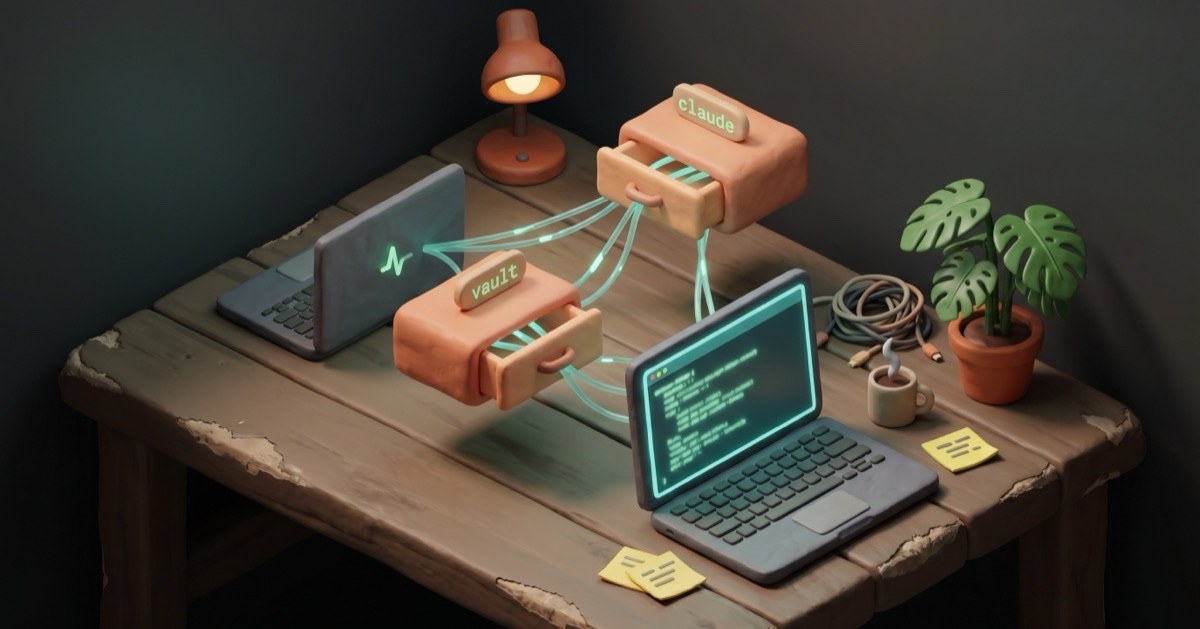
The bigger thing first, because it’s the change underneath everything else: Cerebro stopped being one machine’s hobby and became a surface I do my day-to-day on. That’s the shift since I started in October 2025. It now lives across three primary folders, each with a different job:
- My Obsidian vault — the data side. Daily notes, projects, knowledge, the things I want to query.
~/.claude/— the agent side. Skills, agents, hooks, memory, the global CLAUDE.md every Claude Code session reads.~/Dev/— the code side. Projects, GitHub repos, my open-source stuff, anything that compiles or deploys.
Together they make a platform. I’ll come back to that.
I’ve also moved away from running Cerebro exclusively on one machine. While I had it running on my M1 Mac Mini home server, I found I was increasingly not sitting at my desk, especially as the weather has improved. I’ve been spending more time on my M2 MacBook Air. Though it doesn’t pack a bunch in terms of HDD space, it runs things pretty quickly on the 24GB of RAM installed.
Each machine carries the same core stack:
- Codex CLI
- Obsidian CLI
- Claude Code CLI
- Gemini CLI
- Ollama (for local-LLM routing —
gemma4at the moment) - Docker Desktop, running the MCP Toolkit gateway (Brave Search, Context7, n8n, Notion, Stripe) so the same servers are reachable from either laptop
- The vault and
~/.claude/synced via Syncthing;~/Dev/rsynced or pulled via git on demand
That parity isn’t trivia. It’s the proof point that Cerebro is a platform and not a single machine’s hobby — I can pick up either laptop, run the same skills against the same vault with the same memory and the same agents, and not lose context.
Eight folders, one brain
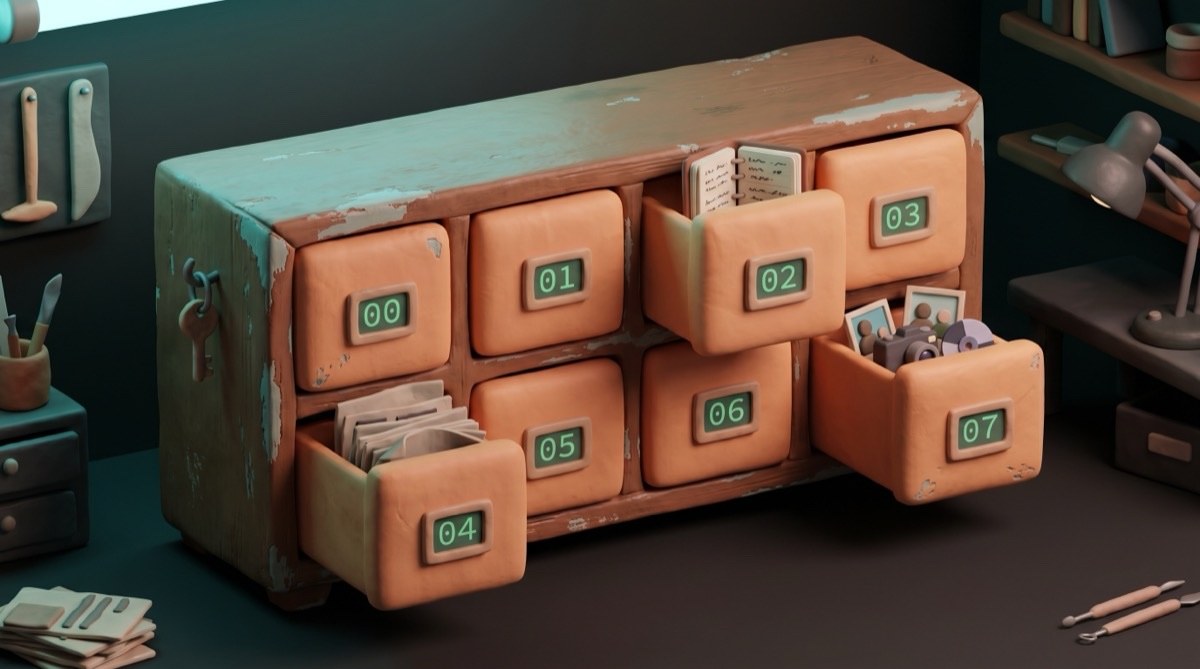
Readers will know I’ve primarily been powering my second brain off Claude Code since I started this initiative in October of 2025, anchored to the vault and the ~/.claude/ config directory above. At the beginning I tried to adapt Tiago Forte’s PARA system to my vault, but day-to-day operations soon outgrew it. The current shape:
00 - System
01 - Inbox
02 - Daily
03 - Workbench
04 - Domains
05 - Library
06 - Archive
07 - Assets
Plus two folders sitting outside the numbered hierarchy: Clippings (where Read-Later sources land for processing) and Docs (the offline document staging area). Neither is canonical and both get triaged into the numbered system once a week.
00 - System
Inside here is everything about how the second brain works. The instruction manual and the system-state record. System Reference (TOOLS, PLATFORMS, DOMAINS, SOCIALS, LINKS, CONTACT — the canonical inventory, symlinked from ~/.claude/ so every agent reads the same source of truth), Project Instructions, Lessons Learned (retrospectives that get encoded back into skills so the next session won’t repeat the mistake), Bases (Obsidian’s dataview-style query engine), Dashboards, Workflows, the periodic Digital Asset Inventories, current migration plans, About Jim (identity and voice source-of-truth), and the system-level templates.
01 - Inbox
This area is pretty much a dumping ground for things I want to address during the week. I have a skill that cleans it up once a week — goes through the entire folder, picks up what’s there, and routes everything to the right location in the vault. For things that need immediate attention I just say please send it to the inbox and I’ll deal with it later.
The hard rule: nothing stays in Inbox longer than a week.
02 - Daily
This is my day-to-day journal and daily notes, where the majority of work is carried out. Using the Daily Notes plugin in Obsidian combined with my /log-to-daily skill in Claude Code, this is where the system logs regularly back to itself so it has a working memory. It’s my earliest skill, and by far my most powerful one — every Claude Code session that does meaningful work logs back to today’s daily note. Tomorrow’s session reads yesterday’s note as part of its first move. The vault has a continuous record of what happened across human and machine work, in one place, every day, without me having to maintain it.
Path is canonical: 02 Daily/YYYY/YYYYMMDD.md. I never write to the root.
03 - Workbench
If the Inbox is the dumping ground for ideas during the course of the week, the Workbench contains the actual project folders, files, and plans they might eventually get filed to. My weekly cleanup skill also checks this folder for ideas that have gone stale and moves them to the _Incubation folder if I haven’t touched them recently.
Target: max ~12 active projects across Workbench plus domain-level _Active/ folders combined. Anything beyond that gets triaged at the weekly review.
04 - Domains
Domains is where I keep the bigger, longer-lived buckets — Second Brain Chronicles, Signal Over Noise, Solopreneur Superpowers, Career, Life, HomeLab, Cerebro itself as a domain. Some of these folders also exist as git repos that I share with collaborators so we can sync changes and tasks to and from one another.
The filing test before creating a new domain: has it been alive longer than three months, will it outlive any current project inside it, does it have its own audience or output? If yes to all three, it’s a domain. If not, it’s a project — file it under Workbench or inside an existing domain.
05 - Library
Cross-domain reference. Stuff I’ve collected, not stuff I’m doing. Filed by type — People/ for the CRM (contacts, professional network), Tools/ for service profiles, Frameworks/ for thinking models like PAST and SHAPE, Research/ for cross-domain notes, Reading/ for clippings and lists, Voice/ for VOICE.md and the writing profile, Templates/ for everything reusable. The filing test is one question: does this belong to a specific domain? If yes, it goes there. If no, it lives here.
06 - Archive
The cold storage. When a project completes — or when it stalls long enough that I admit it’s not coming back — its entire folder moves to 06 Archive/YYYY/. Same structure preserved, no flattening. The point of the Archive isn’t to be tidy. It’s so the active vault stays under a manageable number of live projects without me having to delete history. Active vault is small and fast; archive is the long memory.
07 - Assets
The binary dumping ground. Generated images, video sources, GIFs from old experiments, MP4s rendered out of HyperFrames, screenshots that ended up somewhere. Nothing here is canonical — anything that ships gets uploaded to R2 and served from the edge. Assets is just the local staging area before the upload, and the graveyard for everything that didn’t make the cut.
Notion goes canonical
Since my Signal Over Noise newsletter started I’ve been chasing the perfect to-do list and finding new ways to be unhappy with whatever I last picked. I tried Notion early on, retreated to a chain of half-systems — files in Obsidian syncing to Apple Reminders, a kanban-board phase, the brief experiment with Paperclip — and mid-April admitted that the only system that ever actually worked was the one all my collaborators were already in every day.
The Reminders / TASKS.md pairing was meant to be a round-trip: log tasks in the vault, mirror them to Reminders, mark them done in either place and have it reconcile. It didn’t reconcile. So instead of one task system I had two halves of one that needed me to bridge them by hand. A management layer wearing a productivity layer’s clothes. When I came back to Notion to take another look, I noticed it was now genuinely fast — responsive enough to be worth working with again — and that was the moment.
Paperclip was the new-thing-of-the-month before that. Tried it, kept it for a couple of weeks, found that it required too much management to be sustainable. The honest part: Paperclip is built for people who run their lives like a company, with a Director-and-Workers shape, and I wasn’t running mine that way. I was using it as a glorified agentic to-do list, which is not what it’s for. Wrong mental model on my end, not a Paperclip problem.
What flipped Notion for real was the API. Clean, well-documented, an MCP server I can route through Claude or Codex or Gemini, hand them a task, and have it land in the same database the rest of my collaborators check. Status, Area, Assigned, Due, Priority, plus a Path field I added on Apr 21 that points each task at the vault folder or repo where the work actually lives.
That last field is the kind of thing I won’t appreciate until I need it. Path lets me query the database directly — show me every task in 04 Domains/Career/ that’s still open — and find the working directory for each one without re-orienting cold. I haven’t had to do that yet, but I might. For the way my brain works, it’s worth having there. I don’t need to be reminded of every feature, especially if I’ve put them in there to save Future Jim any grief.
The Notion comeback is also reshaping how I think about publishing. I have a Notion Builder Affiliate account, and the platform has matured into something I can plausibly use as the surface for the SoN Member Hub guides and freebies, not just my task store. That’s a separate decision still working itself out, but the fact that it’s even a candidate is the proof the tool earned its place back.
The parts I never touch
I have several layers of automation in place — not an exhaustive list, but the shape of it.
n8n on the VPS
What’s the big deal about n8n? It’s just an automation layer. And that’s the point. I run it self-hosted on my own VPS, and I don’t really have to touch it. I tell Claude or Codex what I need; they talk to the n8n instance over MCP. I give it workflows when they need writing, or it tells me where to go check authentication or fix a credential. We talk through it. It does what it says on the tin, and I can manage the whole thing from the command line via agents.
The lightest-touch automation in my stack is the one I never see. That’s not lack of investment — it’s the platform principle in miniature. n8n isn’t a tool I reach for. It’s a layer the system reaches through.
Scripts on my M1
The other half of automation is the durable layer at home. A handful of shell scripts running on the M1 Mac Mini via cron and launchd: mail-triage-daily.sh, job-scout-daily.sh, parity-check.sh, and qmd-update.sh. Nothing exotic. Each one does one thing on a schedule.
These used to live as Claude Code routines. I moved them out because routines need Claude Code running to fire — and if I can run things headless without invoking the GUI app on the M1, that’s the way forward. Saves processes on the home server, minimises dependencies, keeps the durable layer durable. The scripts don’t care if my laptop is asleep or whether Claude Code is open. They wake up at their scheduled time and do their job whether anyone is watching or not.
Different principle from n8n, same destination: the parts of the system I rely on most should be the parts I touch least.
1Password does more than I knew
Credentials have been an absolute pain trying to get the right balance between hardened security for the homelab and allowing things to run as autonomously as possible. Rather than scattering keys across .env files all over the place, I’ve been enjoying some of the extensibility of 1Password I didn’t know existed in all my years of using it.
The 1Password CLI combined with a shared service-account vault for a specific scope means things can run truly headless — no TouchID, no Apple Watch tap, no password prompt every fifth invocation. I’d spent years using 1Password as the password manager and missing that it’s also a secret-injection layer with proper service-account semantics. Late to the party, glad to be there now.
Image generation has its own pipeline now

Every visual that ships from Cerebro — newsletter heroes, OG cards, hero banners on the build-log, the occasional carousel — comes through one entry point: an art skill that knows the brand and routes the work to the right model.
Two Google models do the actual generation. Nano Banana 2 is the default — fast, multimodal, good enough for almost everything I throw at it. Nano Banana Pro is the upgrade tier when the composition matters and the speed doesn’t. The skill picks the model; I describe the scene.
The thing that earned the pipeline its place is the aesthetic separation. There are at least four distinct visual identities running through Cerebro right now, and each one has its own locked prompt prefix and colour palette so I never have to re-derive the look. Signal Over Noise has its claymorphic isometric diorama style — soft polymer clay forms on a warm cream background, teal and burnt-orange accents, mid-century modern props in the scene. Second Brain Chronicles inherits the claymorphic family but flips it dark — charcoal background, terminal green for code, a workshop atmosphere instead of an editorial one. There’s an older sketch aesthetic from SoN’s earlier era still defined for legacy posts, and a couple of others for separate projects.
After every generation, the same compression chain: resize to 1400px max width, convert to JPEG, strip metadata, target under 300KB. AI image generators default to ~2752px PNG output by habit, and a 700px content column doesn’t need that. The chain is tedious to remember and trivial to script. Every image that lands in a repo or on a CDN has been through it.
The result is that I almost never think about image production any more. Describe the scene, run the skill, optimise, ship. Same as the rest of Cerebro: the parts I rely on most are the parts I touch least.
A small library that knows itself
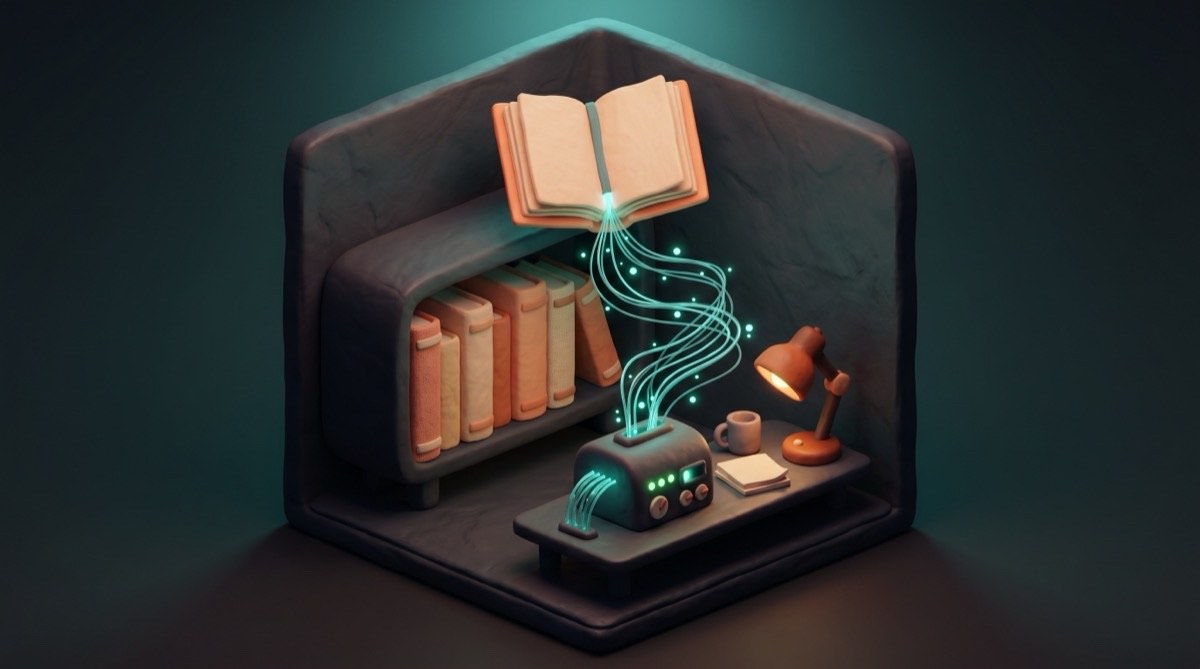
The other quiet piece of infrastructure is the book corpus. I’ve been a Calibre user for years for ebook management, but the upgrade in the last few months was wiring it into Cerebro as a queryable knowledge layer.
A book-indexer CLI walks the Calibre library, extracts text from each book, chunks it, and embeds the chunks into a ChromaDB collection. The result is a small private corpus I can search semantically — find me passages about X across everything I own. It’s not a replacement for reading, and it’s not a Library of Babel either. It’s a research aid for the books I’d already chosen to keep.
On top of that sits an oracle agent whose only job is to process books one at a time, pull out actionable patterns, and propose specific changes back to Cerebro — a new skill, a refinement to an existing one, a correction to a memory file. The pattern is book in, system improvement out, mediated by me — I approve or reject each proposal. Slow on purpose; some things should be slow.
The combined effect is that the library stops being a passive shelf and becomes a participant in the system. Most weeks I don’t trigger it directly. When I do, it’s usually because I’m researching a piece and the question I’m asking has the shape of what did the books say about this? — and the answer is one query away.
What changed this week
Bringing back Codex
I gave up on ChatGPT a few months back trying to consolidate, then realised I hadn’t given everything a fair shake and was at risk of becoming a Claude fanboy by default rather than by argument. I signed back up for OpenAI Pro to make better use of Codex CLI.
The pattern I’ve settled on this week: Codex is a full collaborator on anything in ~/Dev. Three valid configurations, depending on the task — Claude implements while Codex verifies, Codex implements while Claude verifies, or Codex runs standalone on a bounded job while I work on something else. The gate rule is non-negotiable: whoever didn’t implement reviews before git push or npm publish. Single-context implementers rubber-stamp their own blind spots, and the only reliable way to catch that is a second model with a fresh read.
The dry-run for the pattern was a vault audit. Codex audited my own vault, produced v1, I critiqued it (missing memory baseline, conflated drift, evidence-light strategy section), and it produced v2 that addressed every point without defensiveness. That’s the shape I want from a collaborator — push back when I’m wrong, accept the critique when I’m right, ship the better artefact.
The other thing Codex earns is parallelism. I can dispatch it on an implementation thread while Claude handles something else entirely. Two capable models, one project, no context-switching tax on me. That’s new this week, and I expect to lean on it harder.
Introducing Gemini
Gemini CLI joined the rotation at the same time. Not for reasoning — Codex is the reasoning tier — but for grunt code: boilerplate, bulk transformations, pattern-based edits across many files, anything mechanical where reading the output once and shipping it is faster than writing it from scratch.
The delegation ladder now reads: local LLM (Ollama gemma4) for mechanical text work like classification and summarisation, Gemini for bulk code, Codex for reasoning-class implementation or independent review, Claude for judgment, voice, architecture, and security-sensitive decisions. Each tier earns its slot by doing what the next-cheapest tier can’t.
The proof point this week was a refactor on my personal site. The site’s BaseLayout.astro had grown to 368 lines — a god-layout. Gemini drafted the site-config extraction (mechanical, no judgment needed). Codex authored the script-lifecycle refactor and the accessibility pass (judgment, real surface area). Claude integrated, verified, committed. Each model did the work suited to it. The build passed green. One commit before push, I ran a regex pair-check on the emitted dist/index.html and caught Astro reordering the script blocks at bundle time — a bug both Codex and Gemini had missed because neither had context on Rollup’s hoisting behaviour. Trust-but-verify still applies to AI subcontractors, and the lesson got encoded into that project’s CLAUDE.md so the next session inherits it.
Bringing back Perplexity
Perplexity I cancelled in March to consolidate spend but then I re-subscribed in April. The reason is simple: for synthesis tasks — newsletter research briefs, competitive intelligence, trend deep-dives, anything that needs five Brave queries stitched into a coherent answer with citations — Perplexity’s deep_research produces noticeably better output. Brave is still right for quick facts, news headlines, local Valencia stuff, URL verification. But the moment a task wants a report, Perplexity is the tool.
The decision rule lives in memory now: report → Perplexity, fact → Brave. The MCP server is wired into Claude Desktop, the agent (perplexity-researcher) is defined, and the tools (mcp__perplexity__search, reason, deep_research) are available across sessions.
Cloudflare Edge
Cloudflare went from “I host a site there” to “this is the platform Cerebro extends onto” so gradually that I didn’t notice until I sat down on Apr 23 and counted. The Apr 23 inventory: Workers, Pages, R2, KV, and D1, with custom domains across my own zones. Universal SSL doing the cert work. Browser Rendering (the cfbr CLI in ~/bin) for any page that needs JS-rendered scraping or screenshotting. Wrangler on OAuth, no token in env vars to leak.
The thing Cloudflare earns is end-to-end speed. A threat-investigation dashboard I built on Apr 19 against a tight deadline went from spec to deployed-on-a-custom-domain in about four hours. Workers backend, Pages frontend, D1 database for persistence, R2 for any binary, custom domain wired via the Pages API. Same stack covers the chatbot for the workshop business, the threat-intel dashboard, an internal mesh API, the SoN site, the SBC site, and the personal portfolio. The pieces compose.
R2 is the asset host now — every newsletter image, every video, every hero card lives on a single asset subdomain and gets served from the edge. KV holds session state for the chatbot’s conversations; I dumped the lot of them on Apr 21 to triage workshop leads, and the per-key TTL caught me out on at least one session that expired before I could process it. That’s a memory entry now, not a feature.
The detail I’d flag for anyone copying this stack: don’t deploy your APIs at *.workers.dev. The StevenBlack Pi-hole blocklist matches that domain, which means anyone running ad-blocking at home or on a corporate SOC network will silently lose your demo. Custom subdomain on your own zone, every time.
Definitive “in-use” MCPs
Audited Apr 23 against claude mcp list. Several of the servers below are ones I’ve built myself — everything in my GitHub repos has been in production on Cerebro at least once before it shipped. spain-ai-kit is the most recent of those, and it’s now a default information layer at my fingertips for anything Spanish — bureaucracy, civic data, statistics, the consolidated body of national legislation.
Standalone (Claude Code):
| Server | Job |
|---|---|
local-llm | Routes mechanical text tasks to Ollama (gemma4 multimodal) — classification, extraction, summarisation. Saves API spend. |
memory | Hybrid memory — ChromaDB-backed semantic search across past sessions and the vault. Local Node MCP I wrote, queries the embedded chunks. |
qmd | Vault and codebase search — BM25 by default, vector when needed. Two collections, the vault and the dev folder. |
Docker MCP Gateway (MCP_DOCKER): one gateway, many sub-servers — Brave Search (web/news/image/video/local), Context7 (live, version-correct library documentation), n8n (workflow management), Notion (pages, databases, blocks), Stripe (payments + billing). Tools surface as mcp__MCP_DOCKER__*.
Anthropic-hosted (claude.ai): Google Calendar, Notion (alternate path). Gmail, Google Drive, Canva, and HuggingFace are also configured here but currently unauthenticated — set up experimentally, never wired into a daily workflow. Listed for completeness, not as load-bearing.
Claude Desktop only (separate app): Perplexity (search/reason/deep_research), Wisdom (philosophy frameworks).
Definitive “in-use” APIs
The services I call from code.
| Provider | What it powers |
|---|---|
| Cloudflare | Workers, Pages, R2, KV, D1, Browser Rendering, DNS, Universal SSL — the whole edge stack |
| Anthropic | Claude API for the agent loops in the threat-intel dashboard, mcp-threatintel, and a few private tools |
| OpenAI | Codex CLI plus occasional direct calls for embedding work |
| Google AI | Gemini CLI plus Nano Banana 2 for image generation (claymorphic hero images) |
| Notion | Tasks DB, SoN Member Hub pages, content database |
| Brave Search | Web/news/image/video/local search via MCP |
| Perplexity | Deep research, reasoning, citation-backed synthesis |
| Stripe | Payment processing for digital products |
| Kit.com | Newsletter sends, subscriber management, broadcasts |
| Buffer | Social posting (LinkedIn, Threads, Bluesky) |
| AbuseIPDB / GreyNoise / OTX / URLhaus / MalwareBazaar / ThreatFox / Feodo / Spamhaus | Threat intelligence, wired through mcp-threatintel and the threat-intel dashboard |
Definitive “in-use” CLIs
Anything I call by name in a terminal that’s part of the day-to-day operation.
AI: codex, gemini, ollama
Vault and productivity: qmd (vault search), obsidian (vault CLI, preferred over raw Read/Edit/Write), kit (Kit.com), book-indexer (Calibre + ChromaDB), drafts (mobile capture), km (Keyboard Maestro macros)
Infra and dev: op (1Password), gh (GitHub), docker, tailscale, wrangler (Cloudflare deploys), cfbr (Cloudflare Browser Rendering wrapper), ccusage (Claude Code token usage)
Media: ffmpeg, yt-dlp, pandoc, calibredb, md-to-pdf, hyperframes
Custom (~/bin): speak, tone, openrouter-agent, telegram-query, png-alphafy, carousel-build.sh / carousel-composite.py, calibre-maintenance, mail-triage-daily.sh, job-scout-daily.sh, parity-check.sh, qmd-update.sh, mcp-publisher, moneywiz
The shape of it now
Six months in, the system feels coherent for the first time. Not because there are no failure modes — there are plenty. The vault on one machine could drift from the other. The M1 at home could die. Memory and the vault could disagree on something I’d written months ago. A skill could read a stale version of a CLAUDE.md and act on it.
Coherence isn’t the absence of those failure modes. It’s the presence of contingencies for each one.
Syncthing covers vault drift — the vault and ~/.claude/ stay in sync between the Mac Mini and the laptop continuously, no manual step. Time Machine on the Mac Mini covers the catastrophic case. The dev folder syncs on demand via rsync or git, depending on whether it’s a personal project or a tracked repo. When memory and the vault disagree, the vault always wins — that’s the rule, written down, and every agent reads it. Headless scripts mean the GUI being closed doesn’t break anything. Notion as a publishing surface has a commercial logic to it, not just a workflow one.
Each thing has a story now. None of the open ends I’d have listed a month ago are still open. That doesn’t mean nothing is going to break — it means when something does, I know which contingency catches it.
The work I do in the system has stopped being maintenance and started being just… work. That’s the change. Cerebro became a platform the same way most useful infrastructure becomes useful: it stopped asking for my attention.
Now I just use it.